Gemini API in WebView

1. Create a new Sketchware project.
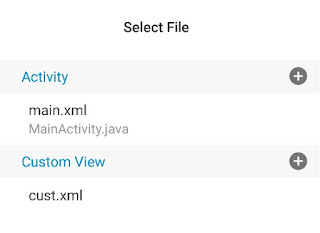
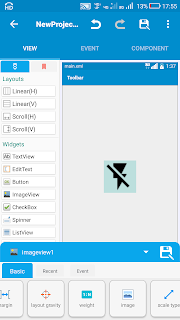
2. In main.xml, add a WebView webview1.
3. In permission manager, add INTERNET permission.
4. In assets folder, add a file index.html and put following codes in it.
Important: In code
apiKey: "YOUR_API_KEY_HERE"
Replace YOUR_API_KEY_HERE with your own API key
<!DOCTYPE html>
<html lang="en">
<head>
    <meta charset="UTF-8">
    <meta name="viewport" content="width=device-width, initial-scale=1.0">
    <title>Gemini AI Demo</title>
    <!-- Load Highlight.js theme -->
    <link rel="stylesheet"
          href="https://cdnjs.cloudflare.com/ajax/libs/highlight.js/11.9.0/styles/github-dark.min.css">
    <link rel="stylesheet" href="style.css">
    <style>
        /* Additional styling for syntax highlighting */
        .hljs {
            background: #2d2d2d;
            color: #f8f8f2;
            border-radius: 6px;
        }
        pre code.hljs {
            padding: 12px;
        }
    </style>
</head>
<body>
    <h1>Gemini AI Demo</h1>

    <div>
        <textarea id="promptInput" placeholder="Ask something..."
                  style="width: 100%; height: 100px; padding: 10px; font-size: 16px;"></textarea>
        <br>
        <button id="submitBtn" onclick="generateContent()">Ask Gemini</button>
        <button id="clearBtn" onclick="clearResponse()">Clear</button>
    </div>

    <div id="response" class="loading">
        Response will appear here...
    </div>

    <!-- Import libraries as ES Modules -->
    <script type="module">
        import { GoogleGenAI } from 'https://esm.run/@google/genai';
        import { marked } from 'https://esm.run/marked';
        import hljs from 'https://esm.run/highlight.js';

        // Configure marked with options
        marked.setOptions({
            breaks: true,       // Convert \n to <br>
            gfm: true,         // GitHub Flavored Markdown
            highlight: function(code, lang) {
                const language = hljs.getLanguage(lang) ? lang : 'plaintext';
                try {
                    return hljs.highlight(code, { language }).value;
                } catch (err) {
                    console.warn('Highlight.js error:', err);
                    return hljs.highlightAuto(code).value;
                }
            }
        });

        // Sanitize HTML for security (important!)
        import DOMPurify from 'https://esm.run/dompurify';

        // Initialize Gemini AI
        const ai = new GoogleGenAI({
            apiKey: "YOUR_API_KEY_HERE" // ⚠️ Remove this key - it's exposed!
        });

        // Make functions available globally
        window.generateContent = async function() {
            const promptInput = document.getElementById('promptInput');
            const responseDiv = document.getElementById('response');
            const submitBtn = document.getElementById('submitBtn');

            const prompt = promptInput.value.trim();
            if (!prompt) {
                responseDiv.innerHTML = "Please enter a question.";
                return;
            }

            try {
                // Disable button and show loading
                submitBtn.disabled = true;
                submitBtn.textContent = "Thinking...";
                responseDiv.innerHTML = '<span class="loading">Thinking...</span>';

                // Call Gemini API - ask for markdown response with code
                const enhancedPrompt = `${prompt}\n\nPlease format your response using Markdown with proper syntax highlighting for code blocks. Use \`\`\`language for code blocks.`;

                const response = await ai.models.generateContent({
                    model: "gemini-2.5-flash", // Fixed: gemini-2.5-flash doesn't exist
                    contents: enhancedPrompt,
                    generationConfig: {
                        temperature: 0.7,
                        topP: 0.8,
                        topK: 40
                    }
                });

                // Parse markdown and sanitize
                const rawMarkdown = response.text;
                const htmlContent = marked.parse(rawMarkdown);
                const sanitizedHtml = DOMPurify.sanitize(htmlContent);

                // Display the formatted response
                responseDiv.innerHTML = sanitizedHtml;

                // Apply highlight.js to any code blocks (in case marked didn't handle them)
                responseDiv.querySelectorAll('pre code').forEach((block) => {
                    hljs.highlightElement(block);
                });

            } catch (error) {
                console.error("Error:", error);
                responseDiv.innerHTML = `<div class="error"><strong>Error:</strong> ${error.message}</div>`;
            } finally {
                // Re-enable button
                submitBtn.disabled = false;
                submitBtn.textContent = "Ask Gemini";
            }
        };

        window.clearResponse = function() {
            document.getElementById('response').innerHTML =
                '<span class="loading">Response will appear here...</span>';
            document.getElementById('promptInput').value = "";
        };

        // Enter key support
        document.getElementById('promptInput').addEventListener('keypress', function(e) {
            if (e.key === 'Enter' && !e.shiftKey) {
                e.preventDefault();
                generateContent();
            }
        });

    </script>
</body>
</html>
5. In assets folder, add another file style.css and put following codes in it.
/* Basic styling for markdown output */
#response {
    font-family: -apple-system, BlinkMacSystemFont, 'Segoe UI', Roboto, sans-serif;
    line-height: 1.6;
    margin: 20px 0;
    padding: 20px;
    border: 1px solid #e0e0e0;
    border-radius: 8px;
    background: #fff;
    font-style: normal;
    color: #333;
    max-width: 800px;
}

/* Loading state */
.loading {
    color: #666;
    font-style: italic;
}

.error {
    color: #d32f2f;
    background: #ffebee;
    padding: 10px;
    border-radius: 4px;
    border-left: 4px solid #d32f2f;
}

/* Markdown elements */
#response h1 {
    font-size: 2em;
    margin-top: 0.67em;
    margin-bottom: 0.67em;
    padding-bottom: 0.3em;
    border-bottom: 1px solid #eaecef;
}

#response h2 {
    font-size: 1.5em;
    margin-top: 0.83em;
    margin-bottom: 0.83em;
    padding-bottom: 0.3em;
    border-bottom: 1px solid #eaecef;
}

#response h3 {
    font-size: 1.17em;
    margin-top: 1em;
    margin-bottom: 1em;
}

#response p {
    margin: 1em 0;
}

/* Code styling */
#response code:not(pre code) {
    background-color: #f6f8fa;
    padding: 0.2em 0.4em;
    border-radius: 3px;
    font-family: 'SFMono-Regular', Consolas, 'Liberation Mono', Menlo, Courier, monospace;
    font-size: 0.9em;
    color: #e74c3c;
}

/* Preformatted code blocks */
#response pre {
    position: relative;
    background: #2d2d2d;
    border-radius: 6px;
    margin: 1em 0;
    overflow-x: auto;
}

#response pre code {
    display: block;
    padding: 1em;
    font-family: 'SFMono-Regular', Consolas, 'Liberation Mono', Menlo, Courier, monospace;
    font-size: 0.9em;
    line-height: 1.5;
    color: #f8f8f2;
    background: transparent;
    border: none;
}

/* Language label for code blocks */
#response pre::before {
    content: attr(data-language);
    position: absolute;
    top: 0;
    right: 0;
    background: #555;
    color: #fff;
    padding: 2px 8px;
    font-size: 0.8em;
    border-radius: 0 6px 0 6px;
    font-family: -apple-system, BlinkMacSystemFont, 'Segoe UI', Roboto, sans-serif;
}

/* Blockquotes */
#response blockquote {
    border-left: 4px solid #ddd;
    margin: 1em 0;
    padding-left: 1em;
    color: #666;
    font-style: italic;
}

/* Lists */
#response ul, #response ol {
    padding-left: 2em;
    margin: 1em 0;
}

#response li {
    margin: 0.5em 0;
}

/* Links */
#response a {
    color: #0366d6;
    text-decoration: none;
}

#response a:hover {
    text-decoration: underline;
}

/* Tables */
#response table {
    border-collapse: collapse;
    width: 100%;
    margin: 1em 0;
}

#response th, #response td {
    border: 1px solid #dfe2e5;
    padding: 6px 13px;
}

#response th {
    background-color: #f6f8fa;
    font-weight: 600;
}

/* Horizontal rule */
#response hr {
    height: 0.25em;
    padding: 0;
    margin: 24px 0;
    background-color: #e1e4e8;
    border: 0;
}

/* Highlight.js overrides */
.hljs {
    background: transparent !important;
}

.hljs-keyword { color: #cc99cd; }
.hljs-string { color: #7ec699; }
.hljs-number { color: #f08d49; }
.hljs-function { color: #f08d49; }
.hljs-comment { color: #999; }
.hljs-title { color: #7ec699; }
.hljs-params { color: #f8f8f2; }
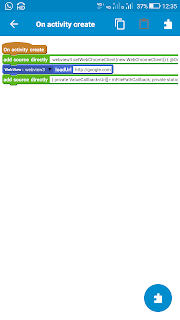
6. In onCreate, enable JavaScript for WebView and load index.html in WebView.
WebSettings settings = binding.webview1.getSettings();

// Essential for your app to work
settings.setJavaScriptEnabled(true);
settings.setDomStorageEnabled(true);
settings.setAllowFileAccess(true);
settings.setAllowUniversalAccessFromFileURLs(true);
settings.setAllowFileAccessFromFileURLs(true);

// Recommended for modern web apps
settings.setDatabaseEnabled(true);
settings.setCacheMode(WebSettings.LOAD_DEFAULT);

// Allow third-party cookies for CDN resources
CookieManager cookieManager = CookieManager.getInstance();
cookieManager.setAcceptCookie(true);
if (Build.VERSION.SDK_INT >= Build.VERSION_CODES.LOLLIPOP) {
    cookieManager.setAcceptThirdPartyCookies(binding.webview1, true);
}

// Load the local HTML file
binding.webview1.loadUrl("file:///android_asset/index.html");
7. Save and run the project.
⚠️ WARNING: Your API key is exposed in the JavaScript code! Anyone can extract it from the APK.
Safer Approach: Use a Backend Proxy
1. Create a simple backend (Node.js/Flask/Firebase Functions)
2. Store API key on backend
3. Make requests through your backend
Note: Daily limit of requests in gemini-2.5-flash is 20.


Comments
Post a Comment