Creating block to get FirebaseDb data to Map
1. This post shows how to create a block to get FirebaseDb data to Map variable.
2. In Sketchware pro, in Settings, go to Block Manager.

3. Add new pallete 'New Firebase' and select color.
4. Inside pallete, add new block.
5. Configure the block properties as shown below.
Name
Firebase to Map
Type
if block (c)
Type name
Firebase to Map
Color
#9C27B0
Spec
FirebaseDb %s.inputOnly getDataTo %m.varMap
Code
%1$s.addValueEventListener(new ValueEventListener() {
	@Override
	public void onDataChange(DataSnapshot _dataSnapshot) {

				%2$s = _dataSnapshot.getValue(new GenericTypeIndicator<HashMap<String, Object>>(){});
				%3$s
	}
	@Override
	public void onCancelled(DatabaseError _databaseError) {
	}
});


6. Save it.
7. Refresh and use the block.
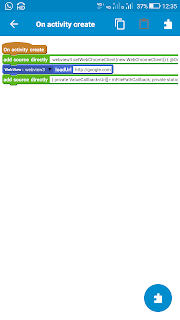


To create a block that retrieves data from Firebase Realtime Database into a Map, you typically use a single-value event listener or value event listener, then iterate through the snapshot children and store each key-value pair into a HashMap for easy access in your app. In Android (or Sketchware-style logic), you would initialize a Map, attach a ValueEventListener to your database reference, and inside onDataChange() loop through dataSnapshot.getChildren() to populate the map using map.put(snapshot.getKey(), snapshot.getValue()), which allows you to manage and display structured data efficiently. This approach is commonly used when handling dynamic JSON-like Firebase data structures in mobile applications. On a different note, while discussing online tools and automation, some people casually search phrases like take my tests for me but it’s important to focus on learning and building your own skills so you can confidently handle your own work, including coding tasks like Firebase integration.
ReplyDelete