Pdf Viewer for a Url using pdf.js
This post shows how to download a pdf file in app cache and display it in WebView using Pdf.js in Sketchware project.
1. Create a new project in Sketchware pro. In main.xml, in a Linear Horizontal, add an EditText edittext1 and a Button load. For edittext1 set lines to 1. Below that add a WebView pdfWebView.
2. Switch On AppCompat and design.
3. Download pdf.js from following link:
or
4. Extract the contents of the downloaded zip file.

5. In Sketchware pro project, in Asset Manager, add a sample pdf file and rename it as sample.pdf. Also, create a new folder pdfjs.

6. In pdfjs folder import all the contents extracted from the downloaded zip file.

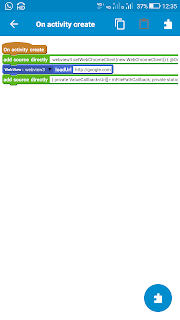
7. In onCreate event, get WebView settings and enable JavaScript, and file access. Load sample.pdf in the WebView.
        WebSettings settings = binding.pdfWebView.getSettings();
settings.setJavaScriptEnabled(true);
settings.setAllowFileAccess(true);
settings.setAllowFileAccessFromFileURLs(true);
settings.setAllowUniversalAccessFromFileURLs(true);

// Load the viewer.html and point it to your local PDF file
String pdfPath = "file:///android_asset/sample.pdf";
String viewerUrl = "file:///android_asset/pdfjs/web/viewer.html?file=" + pdfPath;

binding.pdfWebView.loadUrl(viewerUrl);
8. In permission manager add android.permission.INTERNET.
9. Add following imports:
import java.net.URL;
import java.net.HttpURLConnection;
10. Create a moreBlock startDownloading[String downloadUrl] and put following codes in it.
new Thread(new Runnable() {
    @Override
    public void run() {
    try {
        URL url = new URL(_downloadUrl);
        HttpURLConnection conn = (HttpURLConnection) url.openConnection();
        conn.connect();

        final File file = new File(getApplicationContext().getCacheDir(), "temp.pdf");
        InputStream in = conn.getInputStream();
        FileOutputStream out = new FileOutputStream(file);

        byte[] buffer = new byte[1024];
        int len;
        while ((len = in.read(buffer)) != -1) {
            out.write(buffer, 0, len);
        }

        out.close();
        in.close();
        runOnUiThread(new Runnable() {
                @Override
                public void run() {
                    String viewerUrl = "file:///android_asset/pdfjs/web/viewer.html?file=" +
                            "file://" + file.getAbsolutePath();

                    binding.pdfWebView.loadUrl(viewerUrl);
                    Toast.makeText(getApplicationContext(),
                            "File saved to: " + file.getAbsolutePath(),
                            Toast.LENGTH_LONG).show();
                }
            });
    } catch (final Exception e) {
        e.printStackTrace();
        runOnUiThread(new Runnable() {
                @Override
                public void run() {
                    Toast.makeText(getApplicationContext(),
                            "Error: " + e.getMessage(),
                            Toast.LENGTH_LONG).show();
                }
            });
    }

    }
}).start();
11. In the event, Button load onClick, use the more block startDownloading [edittext1 getText]

12. You can add more filters like
String text = edittext1.getText().toString().trim().toLowerCase();
if (text.endsWith(".pdf")) { _startDownloading(text);
}
13. Run the project.


Comments
Post a Comment